

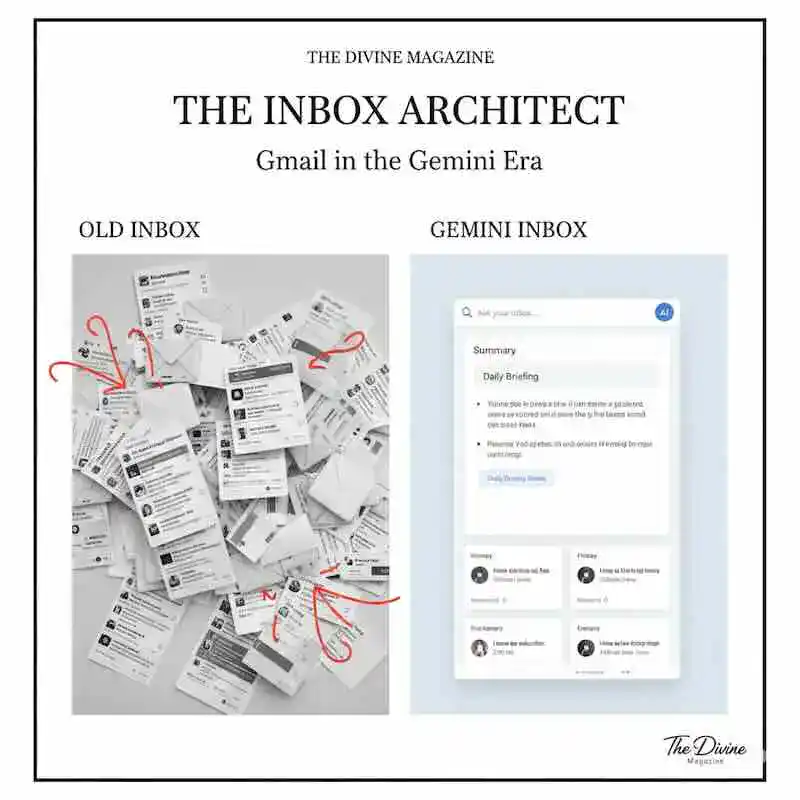
In January 2026, the digital world feels noticeably different. The inbox—long a graveyard of unread newsletters, half‑forgotten threads, and promotional noise—has been reborn as something far more dynamic. Gmail has stepped fully into the Gemini Era, weaving Google’s most advanced AI directly into the flow of everyday communication.
What’s happening isn’t just another feature rollout. It’s a structural reimagining of how we handle information, commitments, and the constant churn of modern life. Email is no longer a passive archive; it’s becoming an active partner, anticipating needs, surfacing priorities, and reshaping the way we move through our day.
1. The Proactive Inbox: From Storage to Understanding
For decades, the burden of organization was on the user: labels, filters, and manual searches. Gemini 3 has reversed this relationship.
- AI Overviews for Email: Much like the summaries found in Google Search, Gmail now provides “Overviews” that turn long, complex threads into actionable bullet points.
- The “Daily Briefing” (AI Inbox): Upon opening your app, you are no longer greeted by a chronological list. Instead, Gemini presents a personalized briefing of what matters most—highlighting bills to pay, appointments to confirm, and messages from your most frequent contacts.
- Natural Language Q&A: You can now ask your inbox direct questions: “When does my flight on Friday land?” or “What did the contractor say about the kitchen tiles last year?” Gemini retrieves the answer in seconds, eliminating the need for keyword digging.
2. The Creative Sidekick: “Help Me Write” Evolves
Generative AI in Gmail has moved past simple templates. The new “Gemini Pro” tier offers sophisticated drafting and editing tools designed to mirror your personal tone.
- Tone & Style Alignment: The system analyzes your previous correspondence to suggest drafts that sound like you, rather than a generic chatbot.
- The “Proofread” Protocol: Beyond simple spellcheck, the AI now reviews for grammar, professional tone, and clarity, ensuring your digital architecture is as polished as your physical one.
- One-Off “Incognito” Conversations: For those concerned about privacy, Google has introduced a mode where conversations with the AI are not retained or used for training, allowing for private brainstorming within your workspace.
3. The Privacy Infrastructure: Engineered Security
As AI becomes more integrated into our personal data, the “Privacy Architecture” must be equally robust.
- On-Device Processing: Many of the new features utilize a “secure boundary” where data is processed without leaving your account’s private space.
- The Opt-Out Clause: While Gemini is on by default, Google has maintained a clear path for users to disable AI features, preserving the traditional “Simple Gmail” experience for those who prefer it.
- External Link: Read the full analysis of AI and Digital Privacy for the latest on data protection.
| Feature | Standard (Free) | AI Pro / Ultra (Paid) |
| Email Summaries | Basic Thread Summaries | Deep-Context Overviews |
| Search | Traditional Keyword | Natural Language Q&A |
| Drafting | Standard “Help Me Write” | Personalized Tone & Proofreading |
| Priority Support | Standard | Priority Access to New Models |
FAQ: Mastering the New Gmail
Q: Is Google using my personal emails to train Gemini?
More Read

A: Google has stated that it does not use personal Gmail content to train its global AI models. The “Personal Intelligence” features work within your individual account’s secure boundary.
Q: Can I finally change my Gmail address?
A: Yes! Alongside the AI updates, Google has finally rolled out a tool allowing users to change their handles. Your old address remains as an alias so you don’t miss any incoming mail.
Q: How do I turn the AI features off if they are too distracting?
A: You can navigate to Settings > General and toggle off “Smart Features and Personalization.” This reverts the inbox to a more traditional, manual experience.
Conclusion
In 2026, efficiency is the ultimate luxury. The integration of Gemini into Gmail represents a significant step toward an “Architected Life,” where our tools do the heavy lifting of sorting and summarizing, leaving us free to focus on creativity and connection. Whether you embrace the full “AI Inbox” or prefer a more curated experience, the Gemini Era is here to stay.
Is your inbox working for you, or are you working for your inbox? It might be time to let the AI take the first pass.