




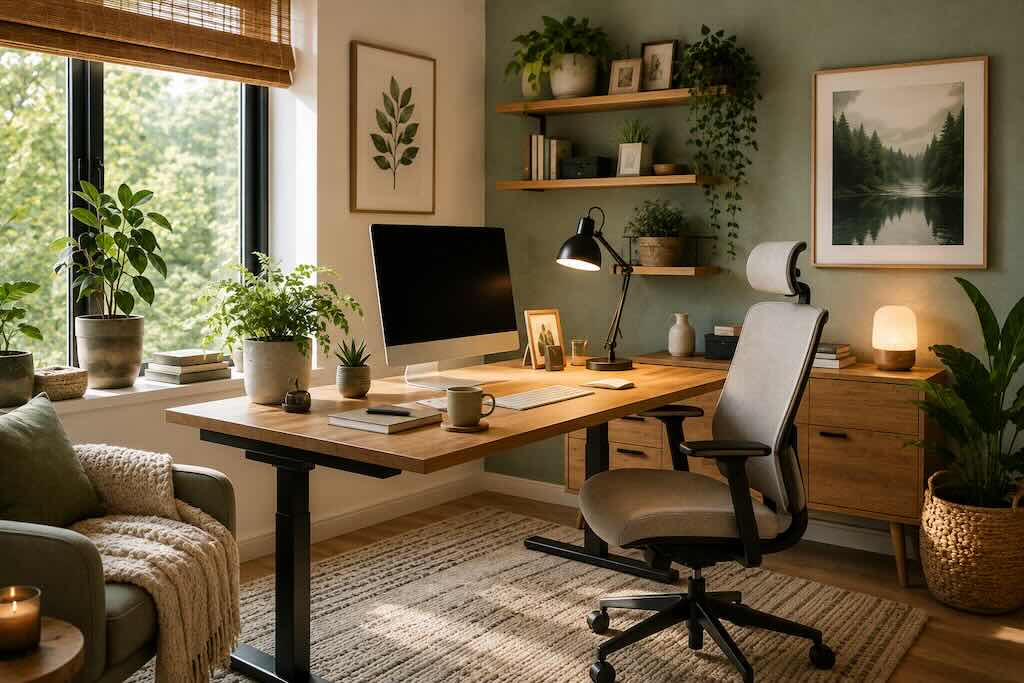
A relaxing home office does not need to resemble a wellness retreat. It needs to make hours at a desk physically easier, reduce unnecessary visual and acoustic friction, and create enough separation between working time and the rest of life.
Editor’s note: This article has been updated for 2026 to remove commercial furniture and shopping links, correct exaggerated claims about color psychology and houseplants, and add current ergonomics and indoor-air guidance for a more practical home workspace.
For anyone working remotely for long stretches, comfort is less about decorative trends and more about the relationship between chair, desk, screen, daylight, movement and distraction. Small adjustments can matter because they are experienced repeatedly, hour after hour.
If you are building a workspace from scratch, Divine’s home office design tips provide a useful starting point. Then refine the room around the way you actually work.
1. Begin With a Quieter Visual Palette
There is no single scientifically proven office color that will make everyone calmer or more productive. Personal preference, light, contrast, room size and the work being performed all influence how a color feels.
That makes the original claim that particular 2026 shades are “proven” to reduce stress and eye strain too strong.
Instead, think about visual intensity. Warm whites, sand, muted greens, dusty blues and other restrained colors can create a quiet background if you enjoy them. Deeper shades can work equally well in a room with sufficient daylight and carefully positioned artificial lighting.
The ceiling matters less as a separate trend statement than as part of the room’s light balance. A lighter ceiling can reflect more light, while a darker one can make a large room feel visually enclosed.
Choose the atmosphere first. Choose the fashionable paint name second.
2. Keep the Desk Visually Manageable
A relaxing workspace does not have to be minimalist, but the objects surrounding your keyboard should earn their position.
Keep frequently used equipment within comfortable reach. Move paperwork that is not part of the current task somewhere else. Give chargers, headphones and stationery defined locations instead of allowing them to spread across the working surface.
This has a physical benefit as well as a visual one. The U.S. Occupational Safety and Health Administration’s workstation guidance recommends arranging frequently used devices such as the keyboard and mouse within easy reach and maintaining sufficient space beneath the desk to allow changes in posture.
If the wider home is becoming crowded too, the principles in Divine’s guide to simplifying your surroundings can be applied to the office without stripping it of personality.
3. Add Plants for Greenery, Not Air Purification
A plant beside a monitor can soften the geometry of screens, cables and hard furniture. Greenery introduces irregular shapes, natural color and something living into a room dominated by technology.
There is also limited research suggesting possible psychological benefits from interaction with plants. A small 2015 randomized crossover study involving 24 young men found that actively transplanting an indoor plant was associated with more comfortable and soothed feelings and different physiological responses compared with completing a computer task. That is interesting evidence, but it does not establish that simply placing a pothos beside a laptop will increase productivity or treat anxiety.
Plants should not be described as meaningful room-scale air filters either. The U.S. Environmental Protection Agency says there is currently no evidence that a reasonable number of houseplants removes significant quantities of pollutants in homes and offices.
Keep plants because you enjoy them. For cleaner indoor air, prioritize source control, ventilation where appropriate and suitable filtration instead.
If you already enjoy gardening, Divine’s flower garden guide offers further inspiration for bringing more planting into everyday life.
4. Position the Desk Around Light and Glare
A desk beside a window can feel wonderful until afternoon sunlight turns the monitor into a mirror.
Rather than automatically facing the desk directly toward the brightest window, observe how daylight moves through the room. Adjustable blinds or curtains can soften direct sun while retaining daylight.
Monitor position matters. OSHA recommends positioning the screen directly in front of the user, generally around 20 to 40 inches away, with the top of the screen at or slightly below eye level. It also recommends positioning the monitor perpendicular to a window to help control glare.
At night or on darker days, add task lighting rather than flooding the entire room with one powerful overhead fixture. An adjustable desk lamp allows light to be directed toward paperwork without unnecessarily increasing screen glare.
5. Make Ergonomics the Foundation
A beautiful office becomes considerably less relaxing when your neck begins to ache after an hour.
Start with the workstation rather than decorative accessories. The chair should support you comfortably. Your feet should be supported. The monitor should not require repeated twisting or tilting of the head, and the keyboard and mouse should be positioned so that you are not constantly reaching.
OSHA’s computer workstation guidance emphasizes that there is no single correct posture or arrangement suitable for everyone. The aim is an adjustable setup that supports neutral postures and makes changes in position possible.
If a laptop is your primary computer, consider a stand or separate monitor together with an external keyboard and mouse. Raising a laptop screen without separating its keyboard simply transfers the problem elsewhere.
An adjustable sit-stand desk can be useful, but it is not essential. Movement matters more than owning a particular type of furniture.
6. Build Movement Into the Workday
The most carefully adjusted chair cannot make remaining in one position indefinitely desirable.
Change posture throughout the day. Stand for a telephone call. Walk to another room between tasks. Look away from the screen periodically. Refill water before you become thirsty rather than placing an enormous bottle within arm’s reach simply so you never have to move.
OSHA’s workstation evaluation guidance recommends opportunities for micro-breaks or recovery pauses and varying computer work with other activities. It also advises avoiding prolonged periods in either sitting or standing positions.
A relaxing office should make good work possible. It should not encourage you to remain attached to the desk for eight uninterrupted hours.
7. Treat Sound as Part of the Design
Sound can determine whether an otherwise beautiful office feels calm or exhausting.
Before buying a decorative tabletop fountain, identify the noise you actually want to manage. Traffic, conversations, appliances and echoes require different solutions.
Rugs, curtains, upholstered furniture and other soft surfaces can reduce the hard reflections that make sparse rooms sound sharp. Headphones may help when external noise cannot be controlled. Some people work comfortably with instrumental music, natural sounds or steady background noise; others concentrate better in silence.
A water feature is therefore an aesthetic choice, not a necessary form of “sound therapy.” If the sound relaxes you and maintenance is manageable, it can be pleasant. If it becomes another object to clean, refill and listen to, leave it out.
8. Create a Visible End to the Workday
One of the difficulties of working from home is that the office never physically disappears at five o’clock.
Create a small closing ritual instead. Put the laptop away if the room has another purpose. Close notebooks. Clear cups. Switch off the task lamp. Move work notifications out of sight when your role allows it.
If you have a dedicated room, closing the door can perform the same function. In a studio apartment, a cabinet, folding screen or simply an orderly desk can provide a visual boundary between working and resting.
The change does not need to be dramatic. Sometimes the click of one lamp is enough to tell the room that work is finished.
A Practical Home Office Reset
- Place the primary monitor directly in front of you and adjust its height for comfortable viewing.
- Keep the keyboard, mouse and frequently used equipment within easy reach.
- Remove boxes and unnecessary objects from beneath the desk so your legs can move freely.
- Position screens to reduce reflections from windows and artificial lights.
- Add adjustable task lighting for reading and paperwork.
- Keep plants for their visual and personal value rather than expecting them to purify the room’s air.
- Reduce decorative objects that compete with the working area for attention.
- Change position and step away from the screen periodically.
- Control distracting sound where practical.
- Create a simple routine that marks the end of work each day.
Conclusion
A relaxing home office is not created by sage paint, a peace lily or the latest smart desk. Those details can be enjoyable, but they sit on top of more fundamental decisions.
Start with the body. Adjust the chair, screen and desk. Control glare. Make room to move. Reduce the distractions you can control and give frequently used objects somewhere sensible to live.
Then add character: a plant catching afternoon light, a ceramic cup, a textured rug, a photograph or a lamp that turns the room warmer as evening approaches.
The result should feel less like an office installed inside your home and more like a room designed around the person doing the work.
For more practical mistakes to avoid, see Divine’s guide to common home office mistakes.
Frequently Asked Questions
What is the best color for a relaxing home office?
There is no universally calming office color. Soft neutrals, muted greens and subdued blues can create a restrained backdrop, but personal preference and the room’s natural and artificial light should guide the final choice.
Do plants improve home office air quality?
Not meaningfully at normal household quantities according to the EPA. Plants can still add greenery and visual interest, but ventilation, source control and appropriate filtration are more effective strategies for indoor air quality.
Where should a monitor be positioned?
OSHA recommends placing the monitor directly in front of you, generally 20 to 40 inches from your eyes, with the top of the screen at or slightly below eye level. Positioning it perpendicular to a window can also help reduce glare.
Do I need a standing desk?
No. An adjustable desk can make changing posture convenient, but the broader goal is to avoid remaining in one position for prolonged periods. A conventional desk can work well when the workstation fits you and you regularly move away from it.
Are tabletop water fountains good for concentration?
There is no need to treat a fountain as a productivity tool. Some people find flowing water pleasant while others find repetitive sound distracting. Use one because you enjoy it, not because a home office requires it.
What should I change first in an uncomfortable home office?
Start with ergonomics. Check your chair, monitor height and distance, keyboard and mouse position, legroom and screen glare before spending money on decorative changes.